
Fusion 360 workholding management
Your fixture library, inside Fusion 360.
MWorkflow NC gives your team instant access to every company fixture and jig — with thumbnail previews, one-click insert and automatic joint origin placement. No file browsing, no manual positioning.
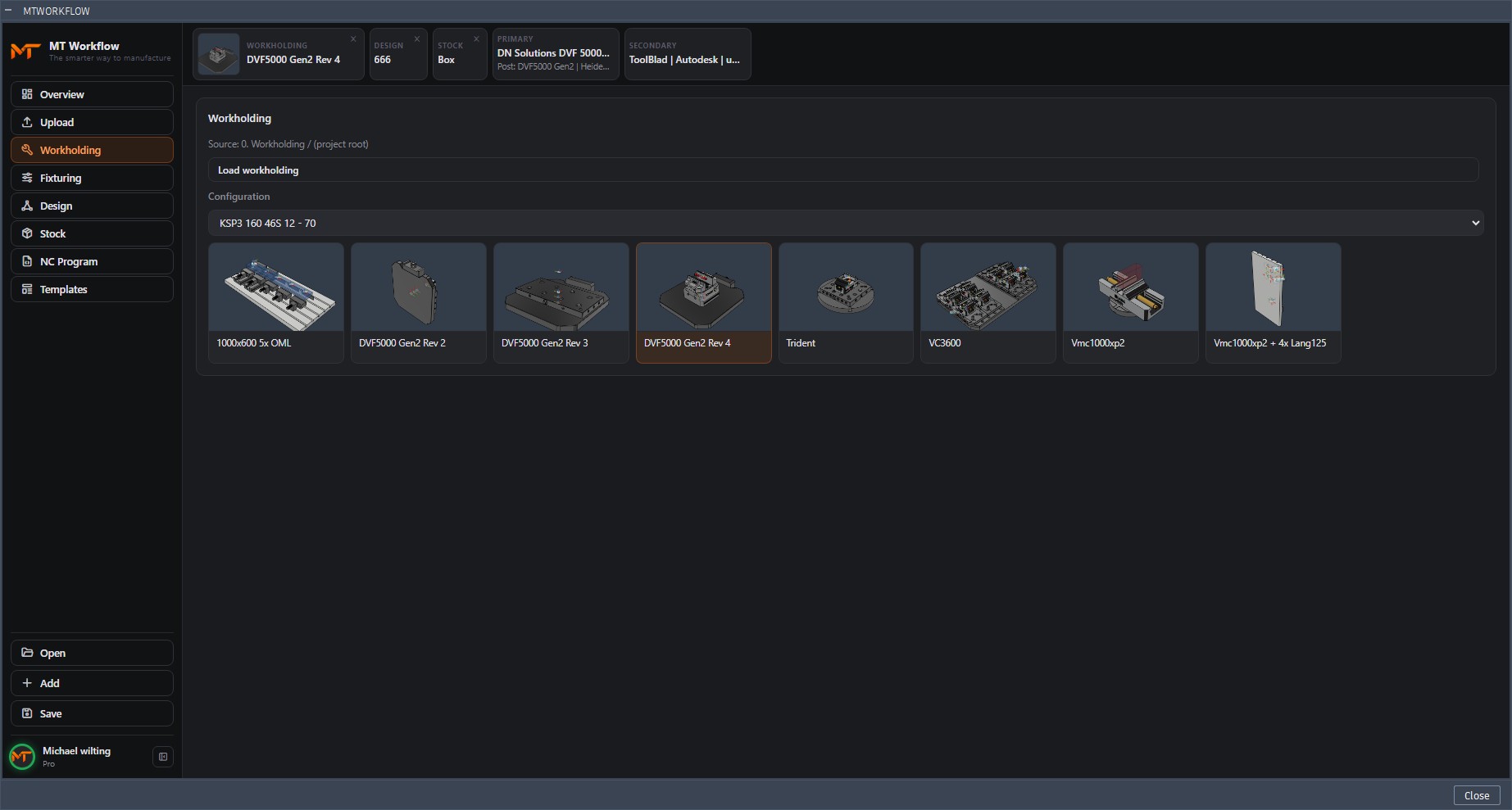
Workholding Library features
From file server to Fusion 360 panel.
The Workholding Library connects your fixture files to the Fusion 360 environment — so engineers browse, select and insert without ever leaving the application.
Thumbnail previews
Each fixture and jig is shown with a visual thumbnail directly in the panel. Engineers see what they're selecting before they insert it — no guessing from file names.
One-click insert
Select a fixture and click insert. MWorkflow NC handles the file reference, the insert into the design and the initial placement — all in one action.
Automatic joint origin
Every fixture in the library has a defined joint origin. On insert, MWorkflow NC places the workholding at the correct position relative to the job origin automatically.
Company library management
Admins upload and publish workholding files to the company library. Operators see only approved fixtures — no access to personal files or outdated revisions.
How it fits the workflow
Fixturing in seconds, not minutes.
Before MWorkflow NC, inserting the right fixture was a multi-step process — find the file, import it, position it, set the joint. Now it is a single panel interaction.
Create accountOpen the MWorkflow NC panel — the workholding library loads automatically when you click the tab.
Browse with thumbnails — scroll through company fixtures, see visual previews, filter by machine or type.
Click to insert — fixture is inserted as an external reference at the correct position relative to your job origin.
Continue programming — workholding is in place, joint origin is set, stock is ready. CAM programming can start immediately.
Get started
Put your fixture library inside Fusion 360.
First month free. Direct setup support from the developer.
Create account