
It looks inside Fusion
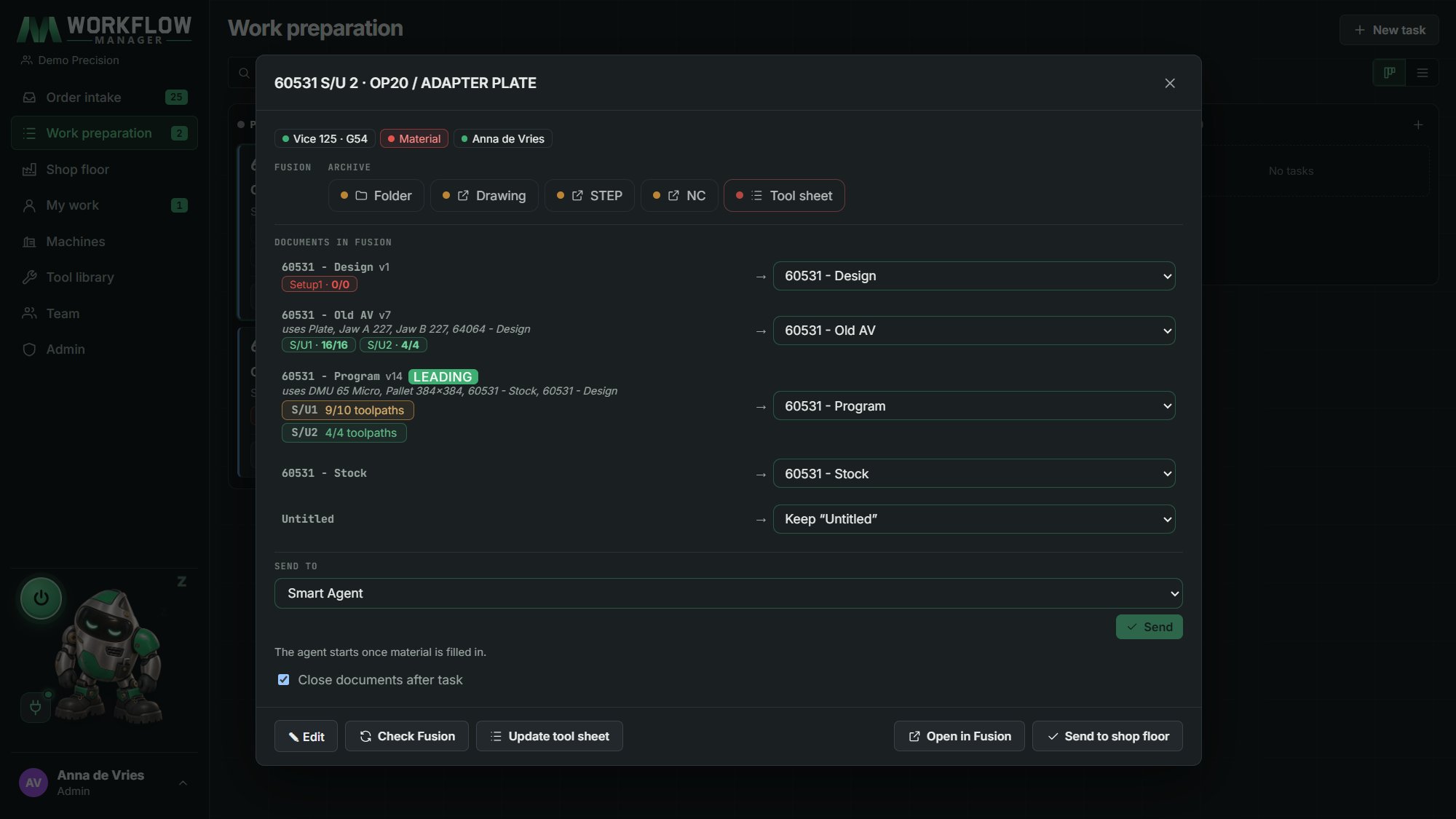
It sees whether a program already exists, which setups it has and how many toolpaths are done. Nobody does the same work twice.

MWorkflow Manager · Central app
The only work preparation that can look inside Fusion 360. Orders from your ERP are checked by themselves, a Smart Agent does the chores around programming, and every machine gets exactly what it needs.
Why teams choose it
Most shop software (MES, planning, ERP) has no idea what is in your CAM files. MWorkflow Manager does: setups, toolpaths, tools, holders and document versions.
It sees whether a program already exists, which setups it has and how many toolpaths are done. Nobody does the same work twice.
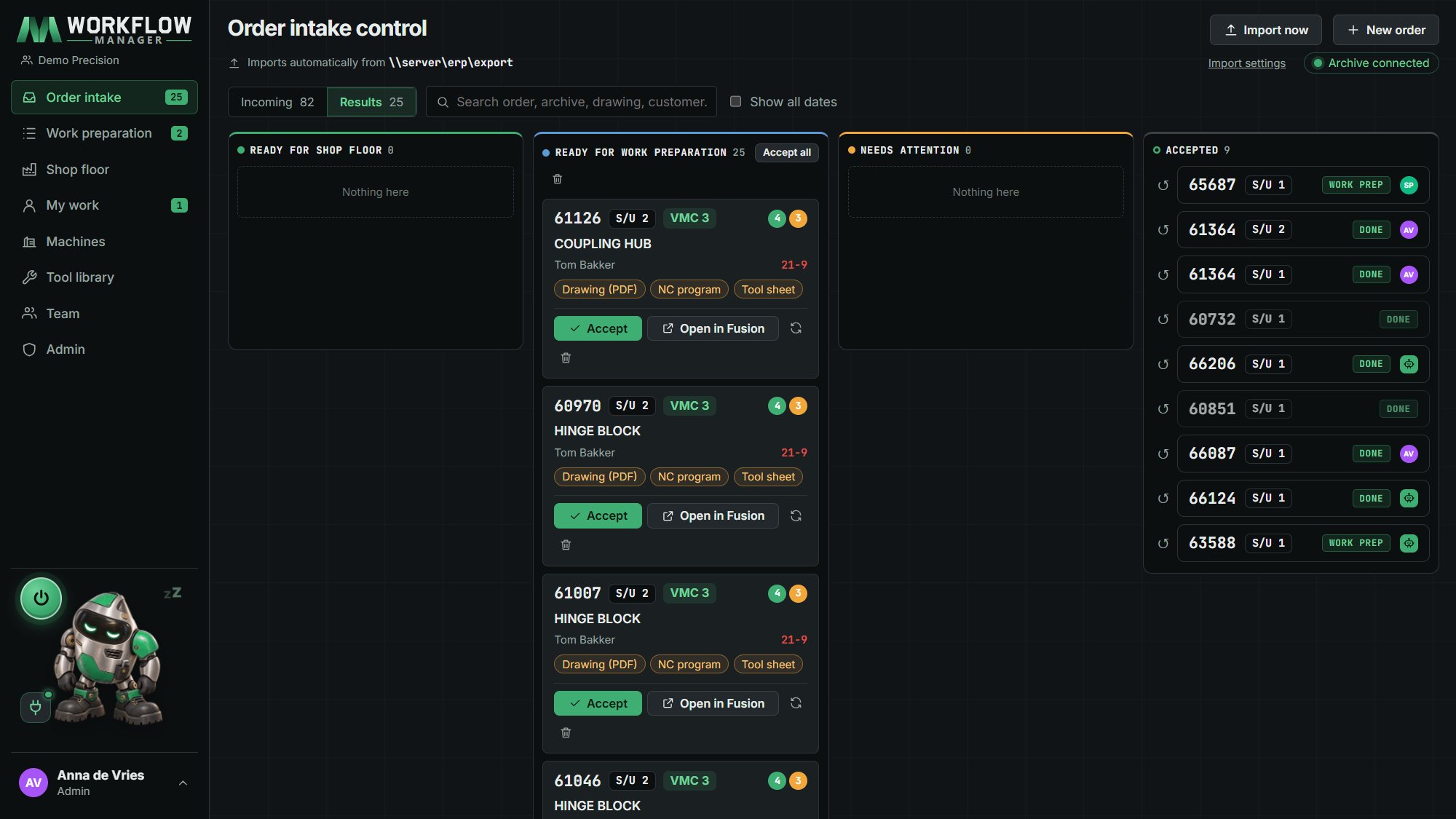
Reads the export of any ERP: you map the columns once. Per order it looks for the archive, drawing, NC program, tool sheet and the program in Fusion. Ready for the machine, or on to work preparation.
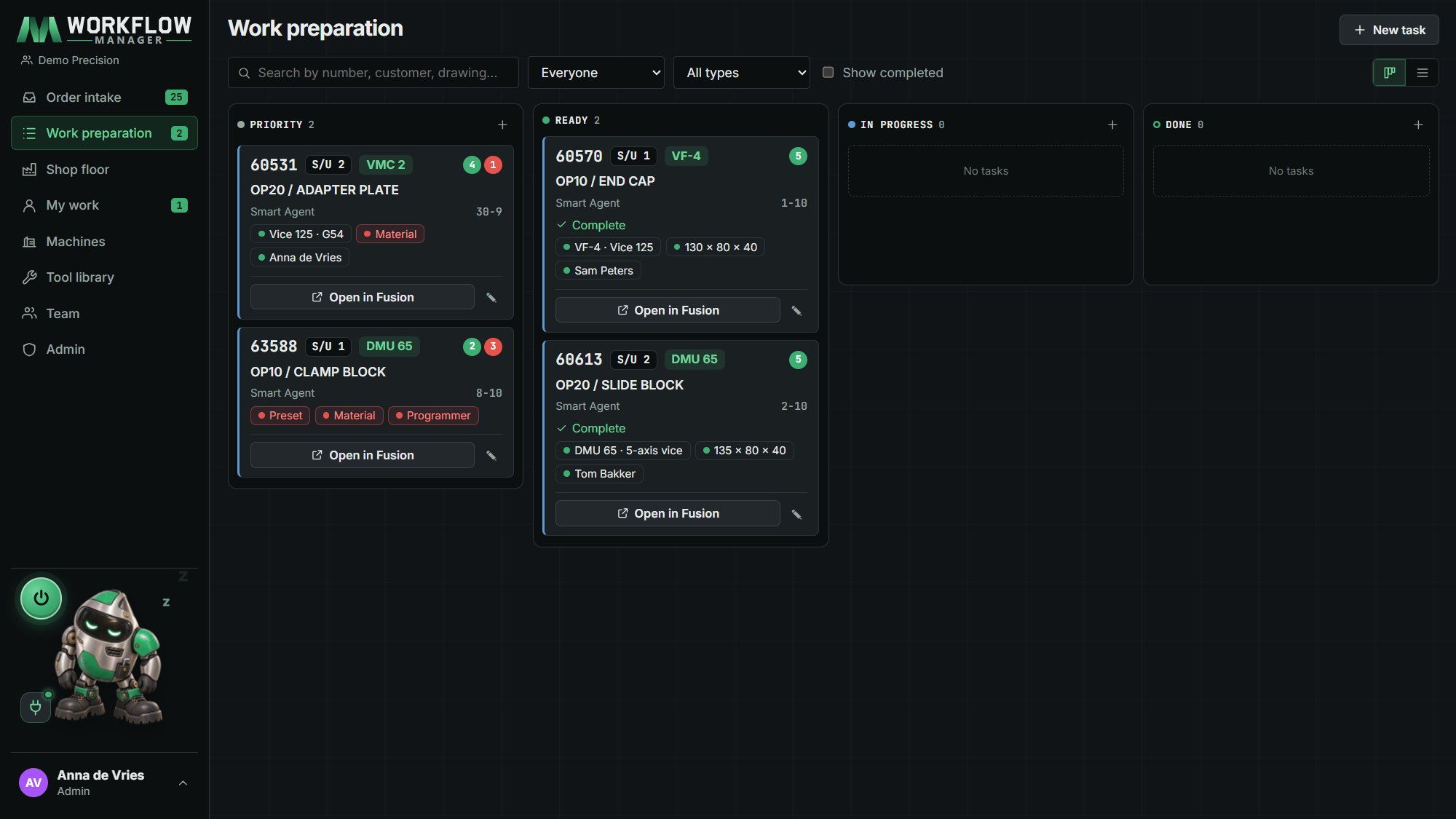
It finds and prepares documents, sets workholding and material, renames setups to your standard and makes tool sheets. During breaks, at night, and on PCs nobody is using.
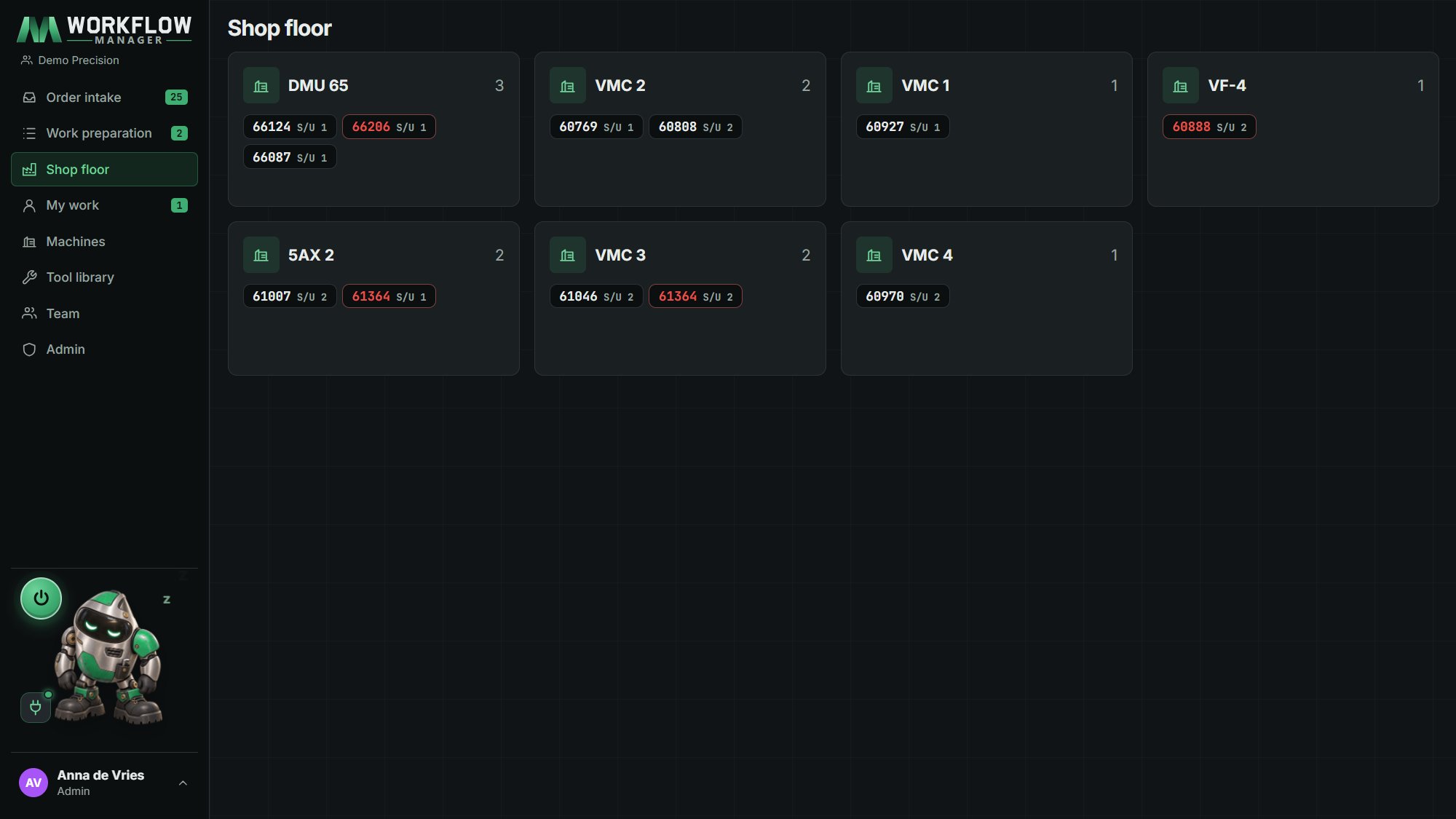
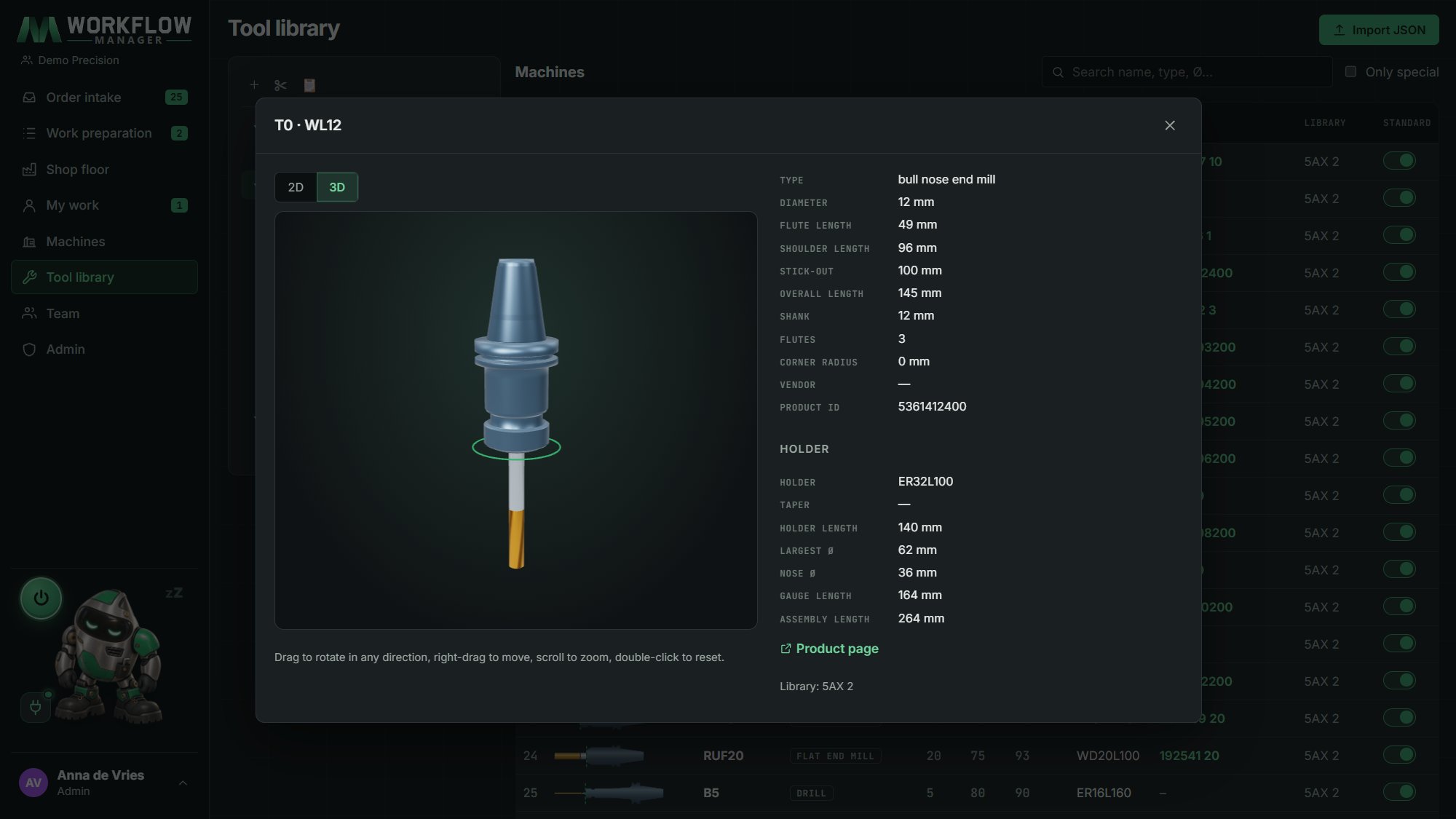
One screen per machine: the jobs, drawing, NC and tool sheet in one click, only the tools of this setup, which tools still have to go in, and a proposal for the right NC program.
Straight from Fusion: a picture per setup, every tool in 3D with its holder, and a PDF in the archive. It works offline too and moves to the archive later.
One naming standard for documents and setups (60570 - Program, S/U1, S/U2), applied by the agent. After six months every archive looks the same, whoever programmed it.
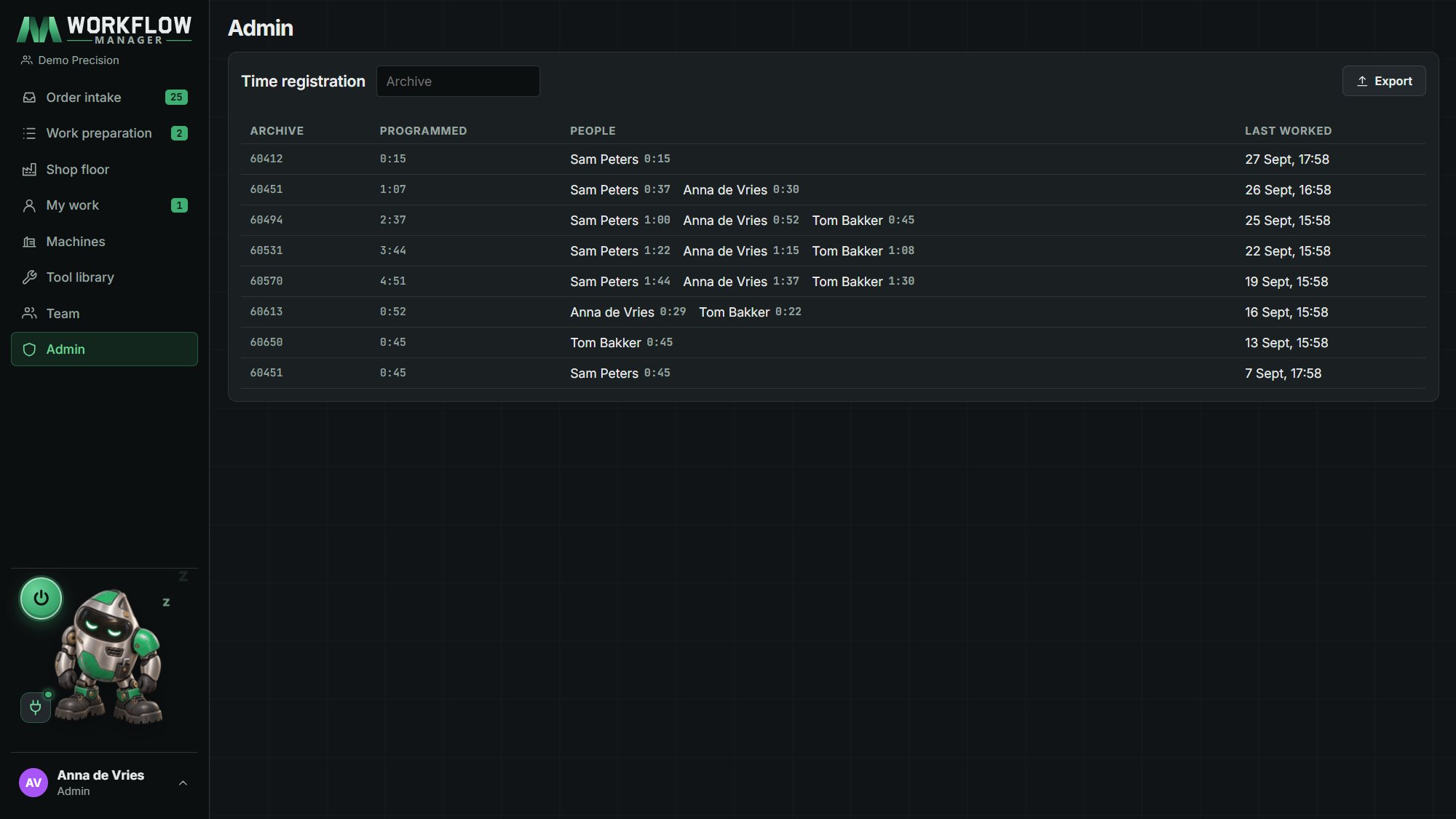
The real programming time per archive, measured while people work in Fusion. No clocking in. Export to Excel for your post-calculation and quotes.
Green, orange and red on the buttons, almost no text, the reason in a hover tip. An operator without computer skills can work with it on day one.
The screens
Smart Agent
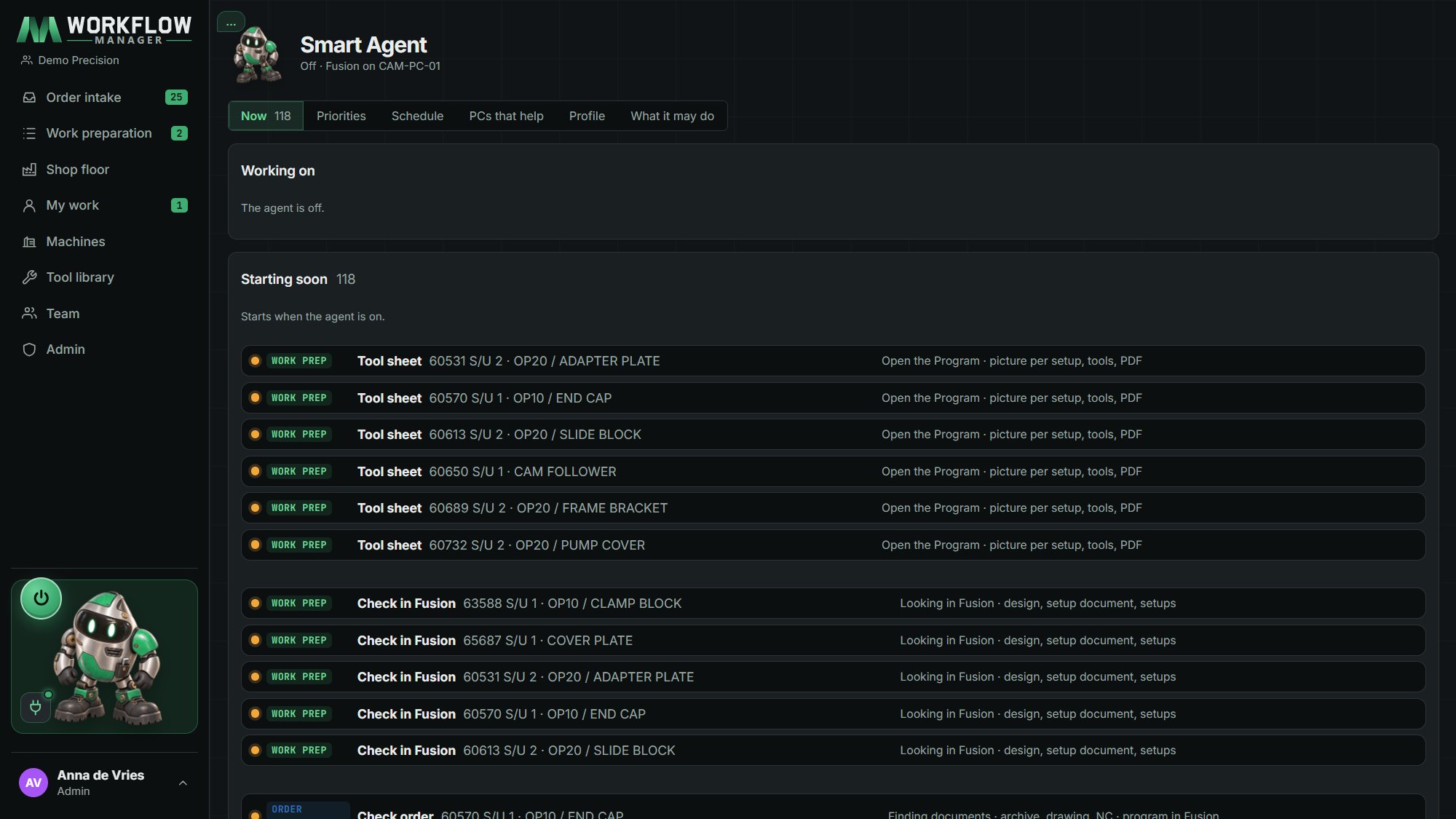
The agent checks every new ERP order: what is already there, and what still needs work preparation.
With MWorkflow NC in Fusion 360 it opens the job, builds the setup, renames to your standard, makes the tool sheet and closes the documents again.
The job lands in the programmer's My work, ready to program. People release the work: the agent only prepares.
Each PC with Fusion and MWorkflow NC chooses how it helps: Off, When I am away (after a few minutes without mouse or keyboard) or Always as a fixed workstation. The server hands each job to one PC only.
You decide what comes first: order intake or work preparation, and which kinds of work the agent may do at all.
Coming next
Connections with Heidenhain, Fanuc, Siemens and other controls: sending programs and reading downtime.
Dashboards and production data in one view. See what your machines and jobs are doing, and where the time goes.
Subscription
Every account starts with a 30-day free trial, with personal onboarding for your team. Ask us about pricing for your company.